Top Runeforge Discord Servers for LoL Custom Skins
Everything you need to know about Runeforge, custom skins, and the best communities to find them. Join the top Discord servers for League of Legends custom skins and mods.
Top Runeforge Discord Servers for LoL Custom Skins
Everything you need to know about Runeforge, custom skins, and the best communities to find them.
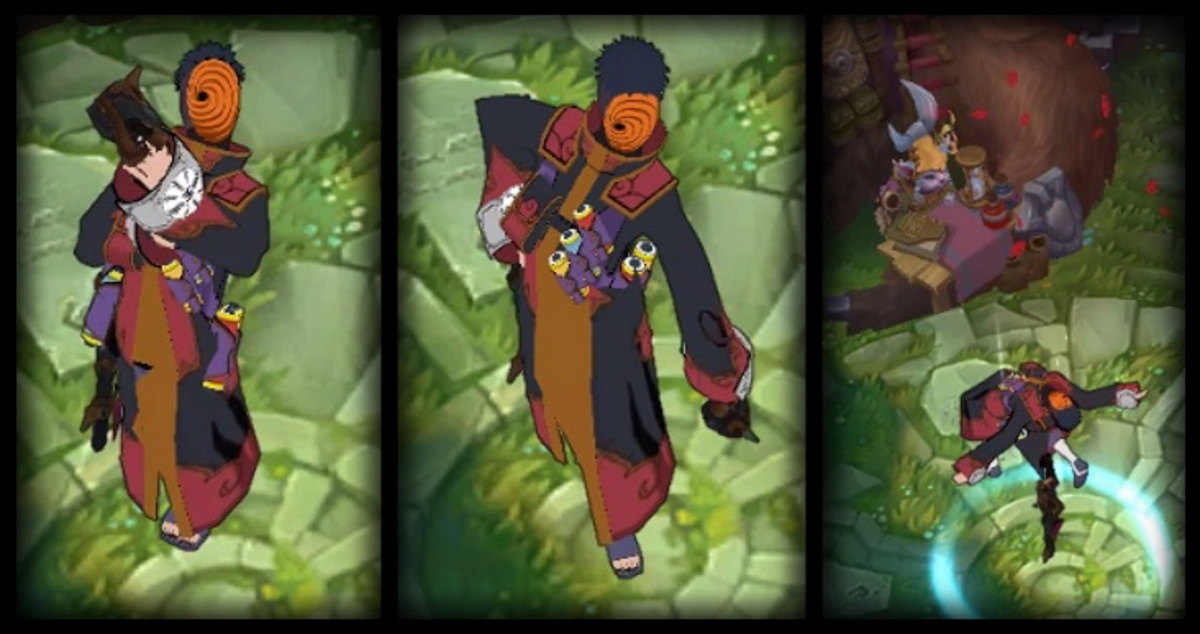
League of Legends (LoL) has maintained its dominance in the MOBA genre for over a decade, but for many players, the base game's visuals can eventually feel repetitive. Enter Runeforge—the premier hub for League of Legends custom skins, mods, and announcers. Unlike official skins purchased with RP, custom skins allow for limitless creativity, from anime characters like Naruto and Goku to meme-inspired transformations that turn your champion into a kitchen sink. However, finding the files, getting technical support, and staying updated on safety protocols (especially with the recent and controversial introduction of Riot Vanguard) happens almost exclusively on Discord.
If you are looking for "anything you should know about Runeforge," it is likely hidden within a Discord server. Whether you need a specific .fantome file, help with CSLoL Manager, or just want to hang out with fellow modders, joining the right community is essential. The website hosts the files, but the Discord servers host the knowledge.
In this guide, we have curated the ultimate list of the top Discord Servers related to Runeforge and LoL custom skins. We have personally verified every single invite link to ensure you get instant access to these communities.
Why You Need to Join a Runeforge Discord Server
While the Runeforge website is the repository for files, the Discord servers are the heartbeat of the community. Reliance on the website alone often leads to frustration. Here is why joining them is not optional for a serious custom skin user:
- Instant Updates & Patch Fixes: Custom skins are notoriously fragile. They often break every time League of Legends receives a patch (which is every two weeks). Discord announcements are the fastest way to know when a fix is live or when CSLoL Manager has been updated to support the latest game version.
- Real-Time Troubleshooting: "Black screen after loading?" "Skin not showing up?" "Game crashing at 10%?" These common issues are solved daily in support channels. The community knowledge base in Discord is far superior to any static FAQ page.
- Exclusive & Early Access Content: Some creators release "Discord-exclusive" or "Early Access" skins before they hit the main Runeforge site. Being in the server means you get the coolest mods before anyone else.
- Vanguard Safety Checks: With Riot's kernel-level anti-cheat system now active, the line between "safe mod" and "bannable offense" is thinner. Discord communities are the first to report if a specific tool or mod becomes risky to use, protecting your account.
Top 6 Runeforge & Custom Skin Discord Servers
Below is the verified list of the best Discord servers for Runeforge enthusiasts. We have categorized them by their primary focus to help you choose the right one.
1. Runeforge (Official)
Category: Official Hub / Modding / Development
Members: 54,000+
Description: This is the mothership. If you use Runeforge, you must be in this server. It is the official community for the Runeforge website (the spiritual successor to the now-defunct Killerskins). Here, you will find direct access to the developers of the platform, announcements about the Runeforge App, and a massive library of discussions regarding custom skins.
The server is highly organized, with specific channels for skin releases, map mods, chroma edits, and voice-overs. It is also the primary place to report bugs found on the website or the manager app. If you are worried about the safety of a mod, this is the most authoritative source to check. They also have a robust "verification" system for creators, ensuring that the files posted there are generally free from malware.
Invite Link: Join Server
2. League Custom Skins
Category: General Modding Community / Support
Members: 30,000+
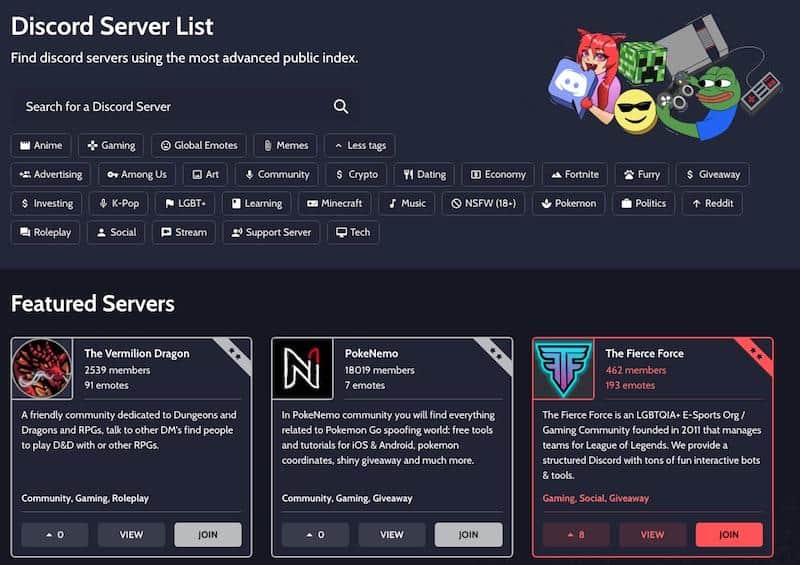
Description: As one of the oldest and most established communities in the niche, League Custom Skins is a treasure trove for modders and users alike. While Runeforge is the platform, this server acts as a massive gathering hall for the creators who fill that platform with content. You will find channels dedicated to skin requests (where you can ask creators to make specific ideas reality) and showcases of work-in-progress mods.
The "Help" channels here are incredibly active and historically rich. If you are struggling to get a
.fantomefile to work or your CSLoL Manager is crashing, the community members here are often quicker to respond than official support lines. It connects deeply with the broader modding ecosystem and often bridges the gap between different modding generations.Invite Link: /servers/417825368062558219-custom-skins-268768627967131648
3. DIVINE SKINS
Category: Premium Quality / High-Tier Mods
Members: 49,000+
Description: Divine Skins focuses on quality over quantity. This community often highlights some of the most complex and visually stunning custom skins available in the scene. Many users flock here for their "Celestial Launcher" and specific high-tier mods that transform champions completely, often with custom VFX (Visual Effects) and SFX (Sound Effects) that rival official Legendary skins.
The server atmosphere is focused on the art of modding. If you are looking for skins that are polished, bug-free, and aesthetically cohesive, this is the place to look. They also have robust support sections for installation issues specific to their high-fidelity mods, which sometimes require extra installation steps.
Invite Link: Join Server
4. Skin Empire
Category: Modding / Community Library
Members: 24,000+
Description: Associated with the Skin Empire website, this server is another pillar of the custom skin community. It is a fantastic alternative if you want to broaden your search for mods that might not be featured on the Runeforge homepage. Skin Empire often hosts mods that are slightly more niche or experimental.
The server features a friendly environment for both creators and users. They frequently host events and have a very clear system for categorizing skins by champion, making it easy to browse for mods for your "main" directly within Discord. It's a great backup resource if you can't find what you're looking for on the main hubs.
Invite Link: Join Server
5. Drututt Server
Category: Streamer / Entertainment / Cursed Skins
Members: 49,000+
Description: Drututt is arguably the most famous high-ELO streamer who regularly uses custom skins. His brand is built around "cursed" skins—mods that are intentionally funny, loud, or meme-heavy. His community is heavily centered around the "fun" side of Runeforge mods rather than the aesthetic side.
While this is primarily a streamer fan server, it is an excellent resource for finding the specific, often hilarious skins you see in his YouTube videos or Twitch streams. If you've seen a skin on a highlight reel (like a muted Akshan or a loud Yone) and don't know its name, asking in Drututt's Discord is your best bet to find the download link quickly.
Invite Link: Join Server
6. The Sloppy Burger (Sloppy Walrus)
Category: Streamer / Gragas Mains / Memes
Members: 44,000+
Description: Home of the "Bomba." Sloppy Walrus is another massive creator who champions the use of custom skins, particularly for Gragas. If you are looking for the "Bomba Gragas" skin, "Shrek Gragas," or other meme-tier mods that have become legendary in the LoL community, this server is the absolute source.
It is a chaotic, fun, and high-energy server. Beyond just skins, it's a great place for entertainment, but it remains a vital node in the network of Discord servers that distribute Runeforge content. The community is very specific, so if you play Gragas or enjoy loud, explosive content, this is your home.
Invite Link: Join Server
Is Runeforge Safe? The Vanguard Update
One of the most common questions in these Discord servers is: "Will I get banned for using custom skins?"
With the introduction of Riot Vanguard (Riot's kernel-level anti-cheat) to League of Legends in 2024, the landscape has changed. Here is the current consensus found within the Runeforge Discord:
- The "Grey Area": Riot Games' official stance has historically been "use at your own risk." They generally do not ban for custom skins that only change visuals locally (meaning only you see them, and they offer no competitive advantage). They are strictly against scripts or "skin hacks" that unlock paid skins for free.
- Vanguard Compatibility: The developers behind CSLoL Manager (the tool used to run Runeforge skins) work hard to ensure the tool does not trigger Vanguard false positives. Currently, the tool injects the skin files in a way that Vanguard typically ignores, as long as it doesn't touch the game's memory in a malicious way.
- Skin Hacks vs. Custom Skins: It is crucial to distinguish between scripting/skin hackers (which give you paid skins for free) and custom skins (community-made art). Skin hackers get banned. Runeforge deals in community-made art, which is generally safer.
- Stay Updated: Join the Runeforge Official Discord (listed above) to get immediate alerts. If Vanguard updates and renders custom skins unsafe, that Discord server will be the first place to announce a warning. Do not use custom skins without checking the Discord announcements first.
How to Install Runeforge Skins (CSLoL Manager)
You cannot simply "download and play." You need a manager. Most of the Discord servers listed above will direct you to CSLoL Manager. Here is the quick guide you'll often find pinned in their #tutorials channels:
- Download CSLoL Manager: Find the latest release on GitHub (links are always available in the Runeforge Discord). Do not download it from random sites; use the verified links in Discord.
- Download a Skin: Go to Runeforge or one of the Discord servers and download a
.fantomefile. This is the file format for modern LoL custom skins. - Import: Open CSLoL Manager and drag and drop the
.fantomefile into the window. - Run: Check the box next to the skin you want to use. Then, click "Run" in the top right corner of the manager. You must do this before the match starts (ideally in the client).
- Enjoy: The skin should now replace the default model in-game.
Troubleshooting: Common Discord Solutions
If you encounter issues, don't panic. Here are three fixes usually pinned in the #support channels of these servers:
- Issue: The skin isn't showing up in-game.
- Fix: Make sure you are using the base skin for that champion. Custom skins usually replace the default skin, not a paid skin you own. If you have "Spirit Blossom Yasuo" equipped, the "Goku Yasuo" custom skin (which replaces Default Yasuo) will not show.
- Issue: Game crashes after champion select.
- Fix: This is often a "conflict." Uncheck all skins in CSLoL Manager and try loading the game. If it works, enable them one by one to find the broken mod. Also, ensure your CSLoL manager is updated to the latest version.
- Issue: CSLoL Manager says "Waiting for League".
- Fix: Run the manager as Administrator. Vanguard permissions can sometimes block the manager from detecting the game client directory.
Frequently Asked Questions (FAQ)
Here are the most common questions new users ask in the Runeforge Discord channels:
Q: Is Runeforge free?
A: Yes, Runeforge and the vast majority of custom skins are 100% free. Some creators have Patreon pages for early access, but the core platform costs nothing.
Q: Why does my antivirus flag CSLoL Manager?
A: This is a common "false positive." Because CSLoL Manager "injects" files into another program (League of Legends), antivirus software often flags it as suspicious behavior. If you downloaded it from the official GitHub link found in the Discord, it is safe to whitelist.
Q: Can other players see my custom skin?
A: No. Runeforge skins are local. Only you can see them. Other players will just see the default champion skin. This is a key reason why they are generally tolerated by Riot, as they don't disrupt the game for others.
Q: What is a .fantome file?
A: It is the specialized file container for League custom skins. You generally don't need to open or extract it; just drag the entire file into CSLoL Manager.
Conclusion
The world of League of Legends modding is vast, but it is entirely decentralized. There is no "Steam Workshop" for League; there is only Runeforge and the constellation of Discord servers that support it.
By joining the Runeforge Official server, you ensure you have the safest, most up-to-date files. By joining communities like Drututt's or Divine Skins, you tap into the creative and fun side of the modding world.
Remember to always respect the rules of each server, verify your files, and keep an eye on the #announcements channels for any Vanguard-related updates.
Ready to transform your Summoner's Rift? Click a link above and join the community.
Disclaimer: DiscordHunt is not affiliated with Riot Games or Runeforge. Custom skins are used at your own risk. Always check the Discord for the latest safety information regarding Vanguard.